
NVIDIA GeForce NOW
Screenshots
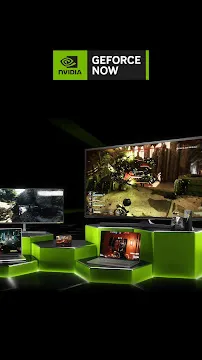

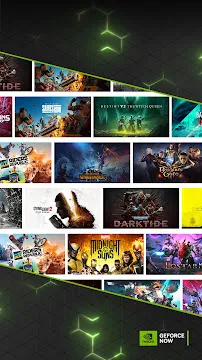
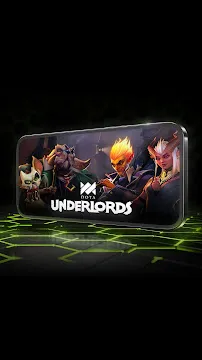

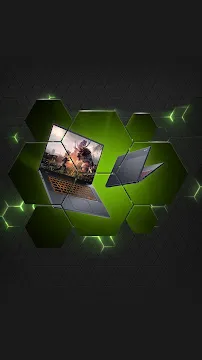
NVIDIA GeForce NOW is a premier cloud gaming service that alters how you experience high-end PC titles on mobile screens. It streams demanding video games directly from powerful remote servers to your portable device hardware. This means you do not need an expensive gaming rig or a console to enjoy top-tier graphics. The application decodes a high-definition video stream of your gameplay while sending your control inputs back to the server instantly. It relies heavily on a fast internet connection rather than your local processor power. By using this software, you can transform a standard smartphone into a premium gaming machine. It supports your existing digital game libraries, letting you play titles you already own on the go.
Understanding the Cloud Streaming Infrastructure
The technology behind NVIDIA GeForce NOW relies on massive, cutting-edge data centers filled with enterprise-grade graphics cards. When you launch a game, a dedicated remote computer handles all the heavy processing and visual rendering. The server compresses the video output and beams it to your mobile device in milliseconds.
Because the heavy lifting occurs miles away, your phone stays cool and saves battery power. The software utilizes advanced video codecs to maintain sharp image quality even during fast-paced action scenes. It spreads the workload efficiently to ensure minimal input lag. This infrastructure bridges the gap between desktop performance and mobile portability perfectly.
Why Choose NVIDIA GeForce NOW for Mobile Gaming
Many core gamers prefer NVIDIA GeForce NOW because it offers true PC-grade gaming without compromises. Mobile games often feature simplified mechanics and heavy microtransactions. This service, however, lets you play full desktop versions of massive open-world games and competitive shooters. You get the exact same graphics options, physics engines, and story expansions as desktop players.
Another major benefit is the saving on physical storage space. Modern PC titles frequently require over 100GB of storage space, which exceeds the capacity of many smartphones. Since the games reside on cloud servers, you never have to download patches or installation files. You simply tap on a game title and start playing within seconds.
Key Features of NVIDIA GeForce NOW to Explore
The application interface focuses on quick access and deep customization for wireless gaming sessions. It includes several specialized tools to optimize your stream quality. Here are the most prominent features built into the system:
- Game Library Syncing: Link your Steam, Epic Games Store, and Ubisoft Connect accounts to import your catalog automatically.
- Virtual On-Screen Controls: Utilize customizable touch buttons if you do not have a physical controller handy.
- Bluetooth Controller Mapping: Connect popular console controllers seamlessly with full button mapping support.
- Network Diagnostic Tool: Test your current ping, jitter, and bandwidth before entering a match.
- Ray Tracing Support: Premium membership tiers unlock realistic lighting and reflections using RTX technology.
- Cloud Save Integration: Progress synchronizes instantly, allowing you to switch from your phone to a PC without losing your spot.
How to Optimize Performance on Your Network
Achieving a flawless streaming session requires a highly stable network setup. NVIDIA GeForce NOW demands a consistent data flow to prevent screen tearing and resolution drops. You should always connect to a 5GHz Wi-Fi band rather than an older 2.4GHz network. The 5GHz frequency offers wider bandwidth and suffers from less wireless interference in crowded areas.
Additionally, you can enter the app settings to adjust the stream bitrate manually. If you travel or use mobile data, lowering the max bitrate saves data and reduces stuttering. Turning on the “Adjust for poor network conditions” toggle allows the app to drop resolution dynamically during signal dips. This setting prioritizes a smooth frame rate over sharp visuals, keeping you competitive during intense battles.
Managing Input Devices and Touch Settings
Playing complex desktop games on a small screen requires proper input configuration. While the app provides virtual touch overlays, using a physical gamepad delivers a much better experience. The software recognizes most modern Bluetooth controllers instantly. It configures the layout to match traditional console configurations automatically.
For games that require a mouse and keyboard, like strategy titles, you can connect peripherals via USB OTG or Bluetooth. The application handles multi-input setups smoothly without adding noticeable delay. Inside the settings menu, you can also adjust look sensitivity and dead zones to match your personal playstyle. This precise control is essential for tracking targets accurately in first-person shooters.
Exploring Membership Tiers and Session Lengths
NVIDIA structures this service across multiple subscription levels to suit different types of gamers. The free tier allows users to test the service infrastructure without any financial commitment. Free users experience standard access to servers and shorter session limits. This option is great for casual players who enjoy shorter gaming bursts.
Upgrading to premium tiers unlocks priority access to high-end servers equipped with RTX graphics cards. These tiers eliminate waiting queues and extend your continuous playtime significantly. They also allow for higher resolutions and faster frame rates, reaching up to 120 frames per second on compatible mobile displays. Choosing the right tier depends on how frequently you play and your desire for maximum visual fidelity.
Conclusion
NVIDIA GeForce NOW offers a revolutionary way to enjoy desktop gaming on a mobile platform. By moving the processing workload to the cloud, it eliminates hardware limitations and storage issues completely. With its excellent controller compatibility, smart network optimization tools, and cross-progression saves, it satisfies both casual and enthusiast gamers. Configuring your Wi-Fi settings properly and selecting the right membership tier ensures a responsive, console-quality experience anywhere. The software successfully transforms everyday mobile hardware into a high-definition gateway to the vast world of PC gaming.